All services

Custom Software & AppsPortals. Dashboards.Internal tools.Wired to your stack.

We build client portals, internal tools, dashboards and mobile-friendly web apps around how your business actually runs, connected to QuickBooks, Google Calendar, Stripe and your CRM. Then we host, monitor and maintain every one of them.

connects to QuickBooks, Google Workspace, Stripe and your CRM
Your stackconnects to QuickBooks, Google Workspace, Stripe and your CRM
web apps that work on a phone, tablet or desktop from one link
Any screenweb apps that work on a phone, tablet or desktop from one link
we host, monitor and maintain every app we build
Managedwe host, monitor and maintain every app we build
System schematicWhat we build for you

Where the data lives today

  1. Connect

    Your existing tools feed one database through their APIs or scheduled imports.

  2. Model the work

    Jobs, customers, orders and statuses get the fields and rules your process uses.

  3. A screen per role

    Staff, managers and customers each log in to the view and permissions they need.

  4. Report and run

    Dashboards read the same records, and we host, monitor and maintain the app.

One app, synced withSpreadsheets

One data source traced through an app we build: the tool it lives in today, the shared record it feeds, and the screens your team and customers use.

What we build

6 systems. Start with one.

6
systems
36
deliverables

Not sure which one to build first? Tell us where the business is now and we send back a ranked build order.

Get your free growth roadmap
01

Client Portals

Customers log in to see job status, documents, invoices and messages, so the status call becomes a page they check themselves.

  • Secure customer login
  • Job and order status
  • Document and photo sharing
  • Invoices with online payment
  • Message threads
  • Role-based permissions
02

Internal Tools & Admin Apps

The spreadsheet your team runs the business from becomes an app with the right fields, rules and permissions for each role.

  • Job and order tracking
  • Scheduling and dispatch boards
  • Inventory and parts lists
  • Approval steps
  • Search and saved views
  • Spreadsheet data migration
03

Dashboards & Reporting

Revenue, jobs, pipeline and team numbers read from live records on one screen, with no one assembling a report by hand.

  • Owner dashboard
  • Job and revenue views
  • Team activity metrics
  • Scheduled email reports
  • Spreadsheet and CSV export
  • Filters and drill-down
04

Integrations Between Your Tools

QuickBooks, Google Calendar, Stripe, SMS and your CRM share one set of records, so each detail is entered once.

  • QuickBooks sync
  • Google Calendar sync
  • Stripe payments and webhooks
  • SMS notifications
  • CRM record sync
  • Sync failure alerts
05

Customer-Facing Web Apps

Tools your customers use on your site, like a product customizer, an order builder or a booking flow, tied to your back office.

  • Product customizers
  • Online ordering flows
  • Booking and scheduling
  • Account and order history
  • English and Spanish interfaces
  • Stripe checkout
06

Mobile-Friendly Web Apps

Crews and staff open the app on a phone at the job, update the record, add photos and capture a signature, with no app store download.

  • Phone-first layouts
  • Home screen install
  • Photo capture and upload
  • On-site signature capture
  • Time and location stamps
  • Text and email alerts

Not on this list? We build to spec.

Proof, on the record

Marcomania Imprenta

Print Shop & Embroidery

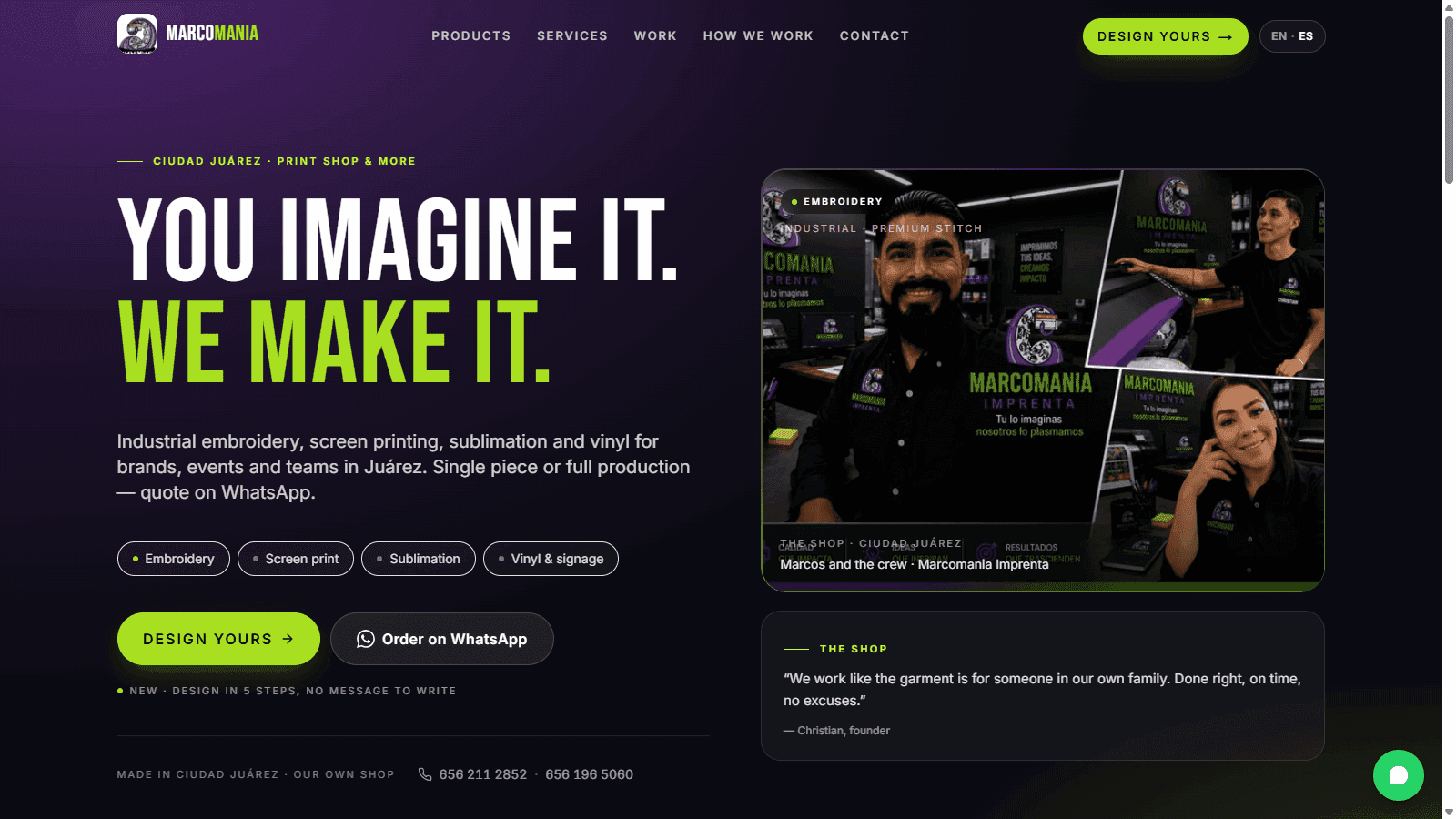
Marcomania Imprenta ran their entire Ciudad Juárez print and embroidery shop off a Facebook page and word of mouth, with no website of their own. EMOR AI built them a bilingual English and Spanish site with SEO and WhatsApp lead capture wired in from launch, plus a custom "Design Yours" tool that lets their customers build their own products right on the site. Within 7 days of going live, Marcos and his team were capturing clients directly on their own website instead of relying on social media alone. In the first 30 days, orders doubled.

Build time
3 days
First sale
Day 7
Orders in 30 days
Doubled

“I was running my business completely out of Facebook and word of mouth. Found EMOR AI and within a month, I saw my orders double.”

Marcos, Founder
Read the Marcomania Imprenta story
marcomaniaprint.com
Marcomania Imprenta website, built and run by EMOR AI

How we work

From discovery to deployment

01

Map the workflow

We sit with the people who will use the app and write down the records, steps, roles and tools it has to cover.

02

Design the screens

You see the data model, the screens for each role and the integrations on paper, and approve them before the build starts.

03

Build and integrate

We build the app, connect it to the tools you already run, move your existing data in, and test it on real cases.

04

Launch and run

Your team is trained and the app goes live. We host, monitor and maintain it as your process changes.

Common questions

How much does custom software cost for a small business?

It is scoped on the call. Scope follows the number of screens and user roles, how many tools the app connects to, how much existing data moves in, and whether customers log in as well as staff. You get a written scope and a dated plan before any commitment.

Should we build custom software or buy an off-the-shelf tool?

Buy when a product already fits how you work, and we will tell you so on the call. Build when your process is what sets you apart, when one job takes three tools to finish, or when a spreadsheet is holding the business together. Many of our builds connect the tools you keep rather than replace them.

What can a custom app connect to?

Anything with an API, which covers most of what a business already runs: QuickBooks, Google Workspace and Calendar, Stripe, Microsoft 365, Shopify, SMS providers and the major CRMs. For one resale shop we built a storefront that cross-lists each item to Depop, Vinted and other marketplaces through their APIs. Failed syncs raise an alert instead of going quiet.

Do we need an app store app, or will a web app work?

For most businesses a mobile-friendly web app is the better fit. It opens from a link or a home screen icon, works on any phone, tablet or desktop, and updates for everyone at once with no store review. If a feature needs device access a web app cannot reach, we flag it during scoping.

How long does it take to build a custom web app?

It depends on the screens, roles and integrations involved. You get a dated plan during scoping, before any commitment. Larger builds ship in phases, so your team works in the first part while the next one is built.

Who hosts and maintains the software after launch?

We do. EMOR hosts, monitors and maintains every app it builds: updates, security patches, uptime monitoring, and integration fixes when a connected tool changes. We run our own company on software we built and operate the same way. Your data exports cleanly at any time.

Show us the spreadsheet running your business.

Bring the sheet, the tools around it, and the step everyone works around. We design the app, connect it to what you already run, and keep it running.

CallGet consistent leads